|
Wireless LAN packet capture software Acrylic Wi-Fi Sniffer
Currently not available.
CommViewForWiFiを検討ください
Acrylic WiFi Snifferはモニターモードのパケットキャプチャドライバを用いて、2.4GHz/5GHzのIEEE 802.11acにcompatibleしたPacket Capture Toolです。Wiresharkとの連携にもcompatibleします。
Acrylic Wi-Fi Snifferでは多くのWireless LANカードにcompatibleしており、IEEE802.11a/b/g/n/ac 3x3:3のパケットキャプチャを行うこともできます。
*Note: Depends on compatible adapter.
*The specs say 160MHz, but depending on the environment you may not be able to capture it properly. We recommend that you test it using the trial version. Authentication using electronic certificates requires two activations and cannot be moved or restored, but since it is very inexpensive, I think it is an option for those who want to use it at their own discretion.
Compatible with Wireshark3.x, you can easily obtain packets on Windows.
|
|
Acrylicwifi Sniffer
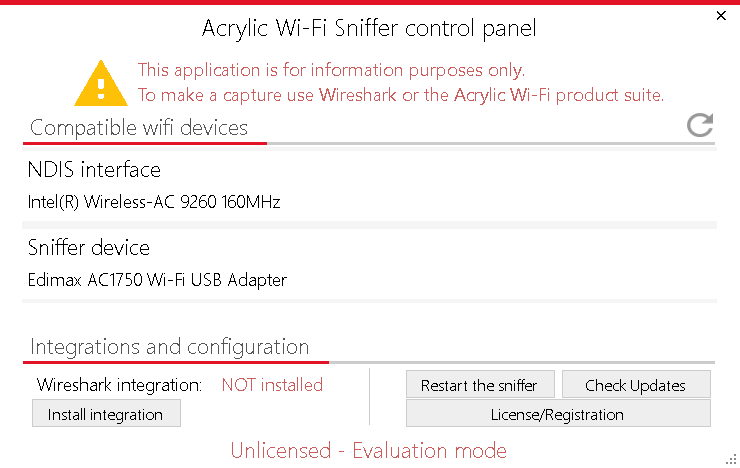
Startup screen
NDIS interface
(
1 stream capture according to Microsoft specifications)
and Sniffer device
(compatible adapter)
According to the specifications,
can be captured up to 160MHz, but it depends on the limitations of the
adapter
(Similar to EyePA and TamoSoft's
, Tarlogic's
monitor mode driver is used as
.)
was recognized and displayed.
Click the “Install integration” button to integrate with Wireshark.
|
|
|
Start Wireshark3.x with administrator privileges.
"Acrylic Wi-Fi Sniffer
(interface name)"
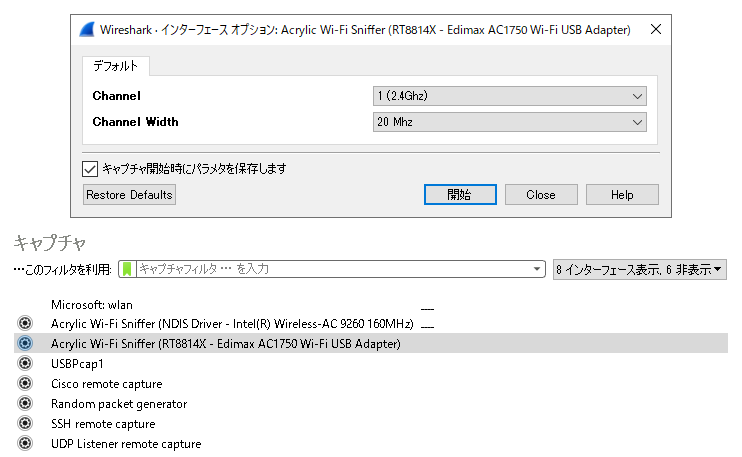
are displayed in the list of interfaces.
*NDIS is 1 stream
Sniffer device is
It depends on the device, but there are some peculiarities
Please be careful.
Now, double-click the interface settings section "
 " and the screen shown above will be displayed.
The capture channel is displayed in "Channnel" and the bandwidth is displayed in "Channnel Width".
You can capture by selecting the channel and bandwidth.
*Note: Please note that even if the dialog is displayed in accordance with the vendor's specifications, it may not always be possible to capture it exactly as specified. We strongly recommend that you use the trial version to check it in a real environment. Emphasis on stability
*Unfortunately, in our environment, we were able to recognize the interface and select the channel and band using the Edimax EW-7833UAC, but we were unable to capture packets. I think it depends on the Windows environment etc. I can't offer much support, but I think it's an option for people who want to use it.
|
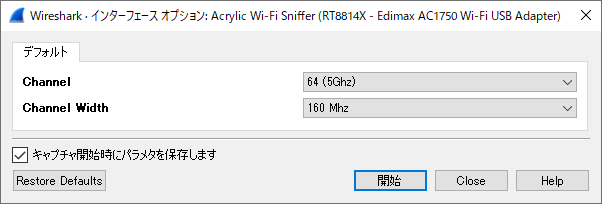
Edimax EW-7833UAC example It is actually a 3x3:3 adapter.
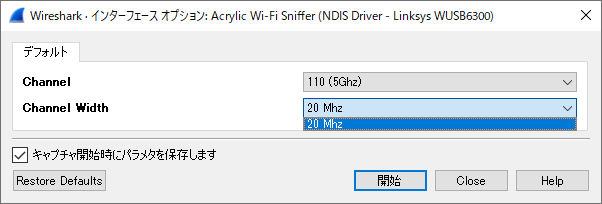
Depending on the adapter, the band may not be selected properly. (Example of Linksys WUSB6300)
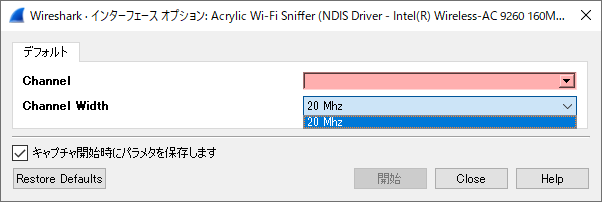
It may not be possible to select channels etc. with the NDIS interface.
|